Use TradingView Like a Pro
Traders and investors are often looking for ways to improve their stock market workflow.
In the tutorial below, I'm going to share with you some of my favorite "hacks" for streamlining the stock market chart search.
You'll discover:
-How to to create watchlists
-How to import large stock lists (I even give you my favorite lists to import below)
-How to organize the S&P 500 by sectors & individual stocks for faster and better chart analysis
TradingView Watchlists to Download:
Timestamps:
0:00 Introduction
0:27 TradingView Watchlist Overview
0:58 How to Open Existing Watchlists
1:22 Using the Top-Down Market Analysis Method
1:52 How to See Which Sectors Are Driving the S&P 500
2:42 How to Find the Stocks Powering a Sector
3:22 How to Create a New Watchlist in TradingView
4:19 Pro Tip: Upload a Watchlist Instead of Adding Stocks Manually
4:37 Correct Watchlist Import Format for TradingView
5:14 Imported S&P 500 Watchlists Explained
5:39 How to Organize the S&P 500 by Sector
6:03 How to Drill Down from Sector to Individual Stocks
6:33 Creating Individual Sector Watchlists
7:00 How to Group the S&P 500, Sectors, and Stocks
7:25 Final Thoughts and TradingView Link
The Power of Watchlists on TradingView
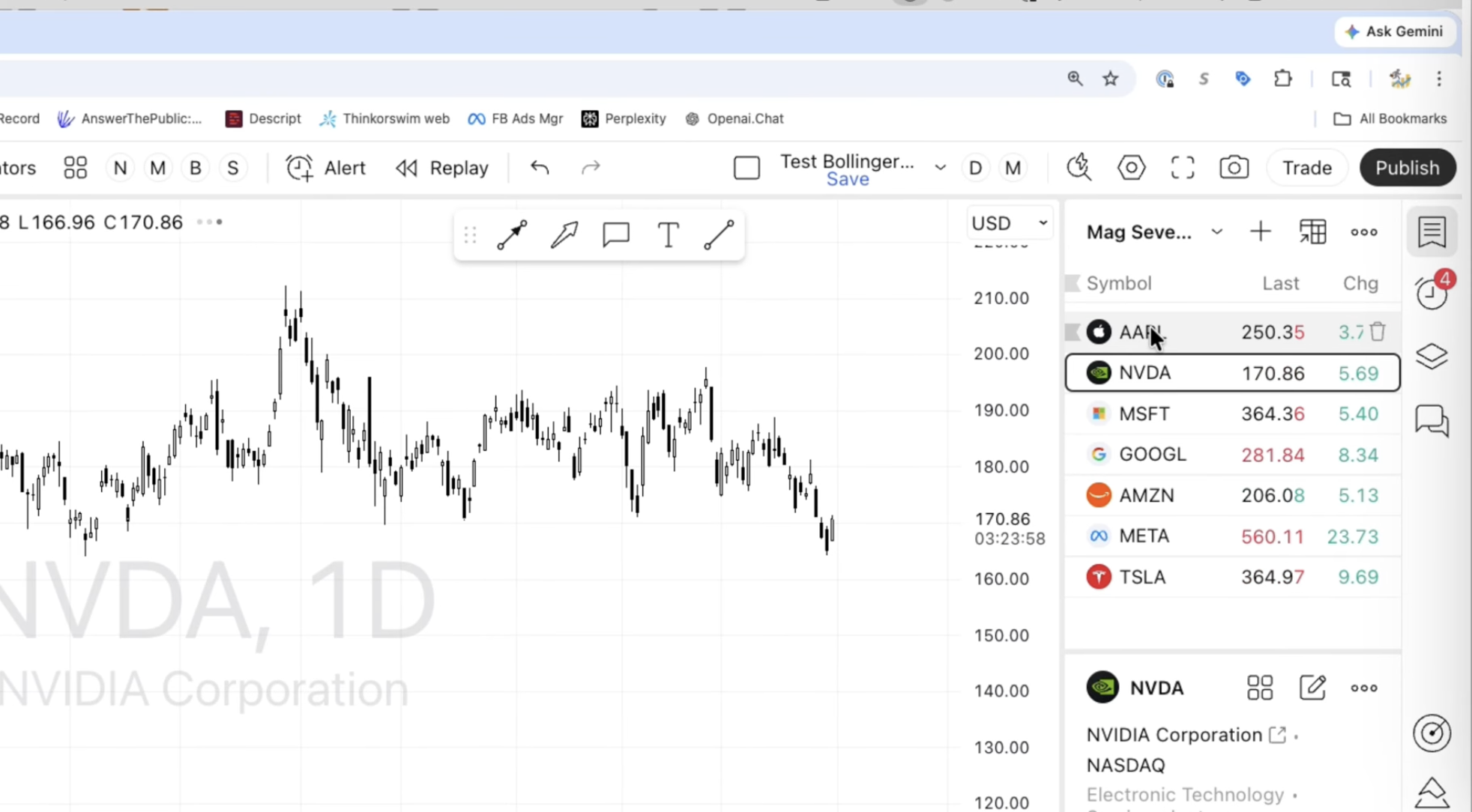
Watchlists can be found in the upper righthand corner of the TradingView chart.
In the image above, we are seeing the Mag7 Watchlist.
You can easily scroll in between each chart, making it way more simple to review stocks in your lists.
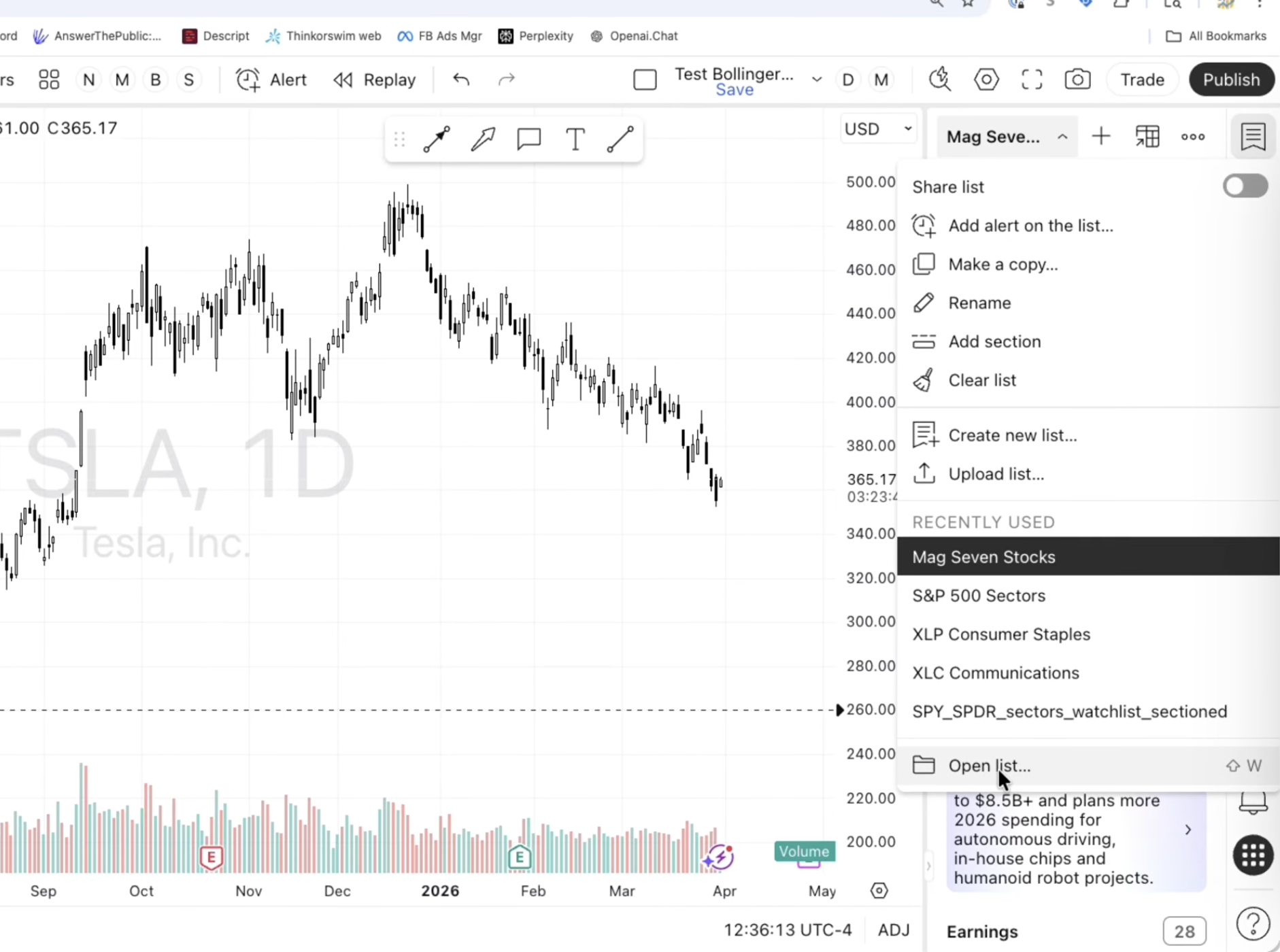
If you click on the Watchlist, scroll down to "Open List"
You will now see all Watchlists, including Watchlists you have imported:
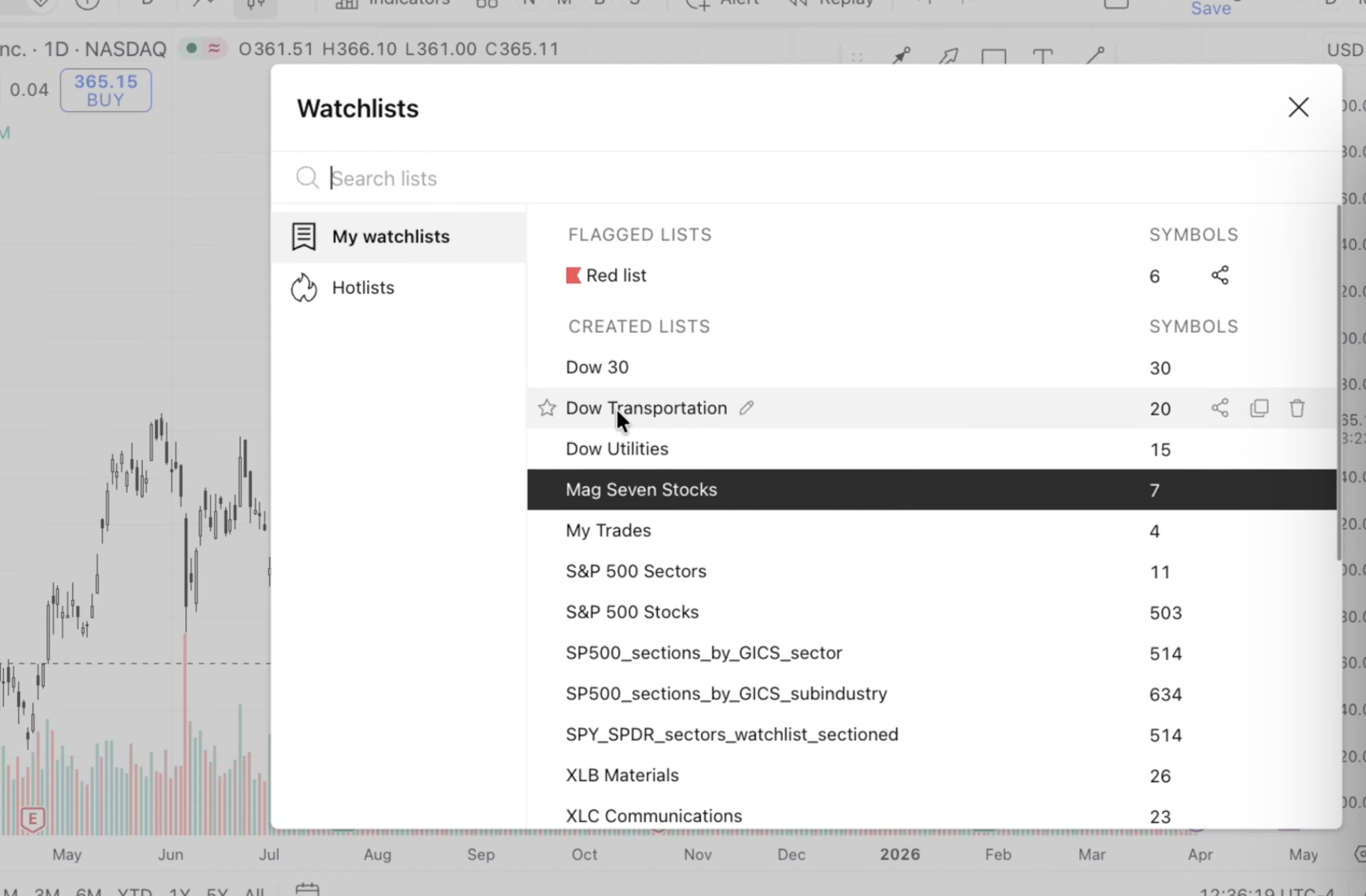
The Top-Down Approach to Researching Stocks In TradingView:
This is so important because now you can start to find even more stocks easily.
Something I teach is the "Top-Down" approach
Where you look at the direction the overall market is headed, and then find specific sectors within the market headed in that same direction, and even specific stocks within that sector in the same direction.
Why is this key?
If the market is headed up, or is bullish, now you are able to find stocks within sectors headed that same direction.
Your chances of going with the flow of the overall market and being right increase, instead of finding a random stock going in the opposite direcion.
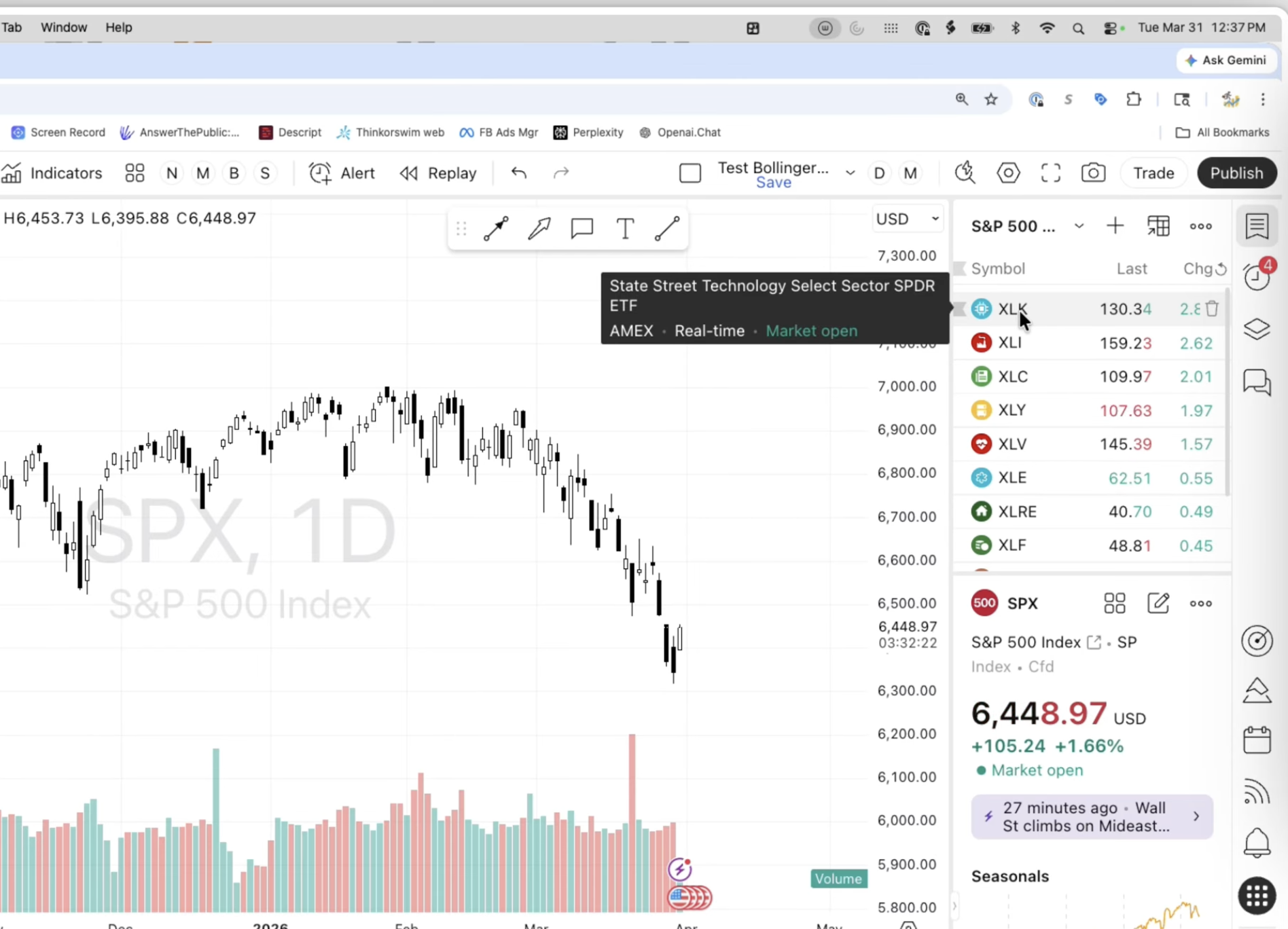
If you look at the S&P 500 Sector Watchlist, and then click "Chg", you are now sorting the sectors by positive cash flow.
You can see which sectors are now most impacting the overall market.
How to Create New Watchlists in TradingView
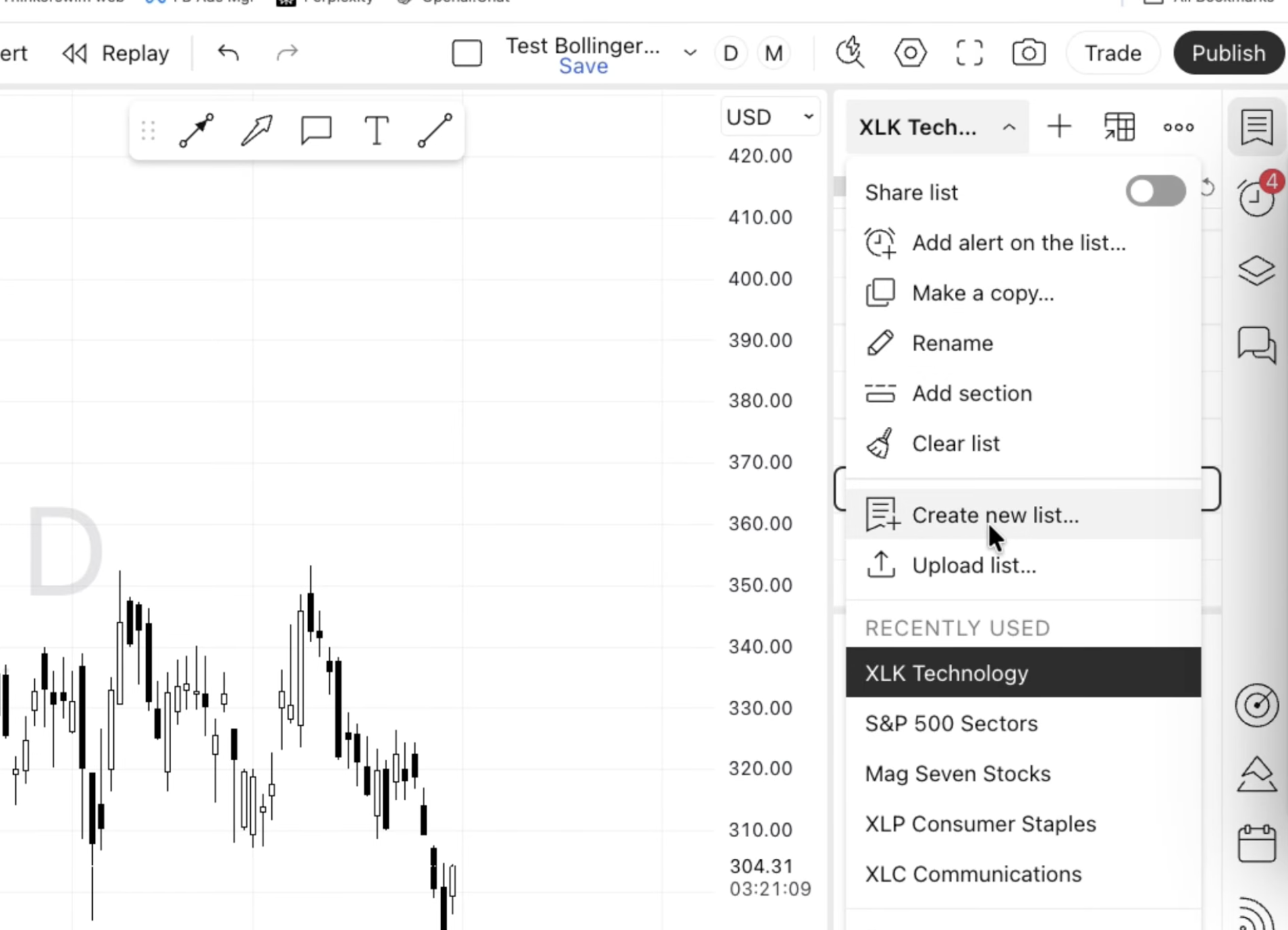
THE FIRST WAY is to click on your watchlist, scroll down and then select "Create New List"
After you click it, you name your list.
Now you can click the "+" symbol and start to add stocks 1 by 1.
That takes a lot of time.
Which is why I am gifting you my ALREADY CREATED LISTS.
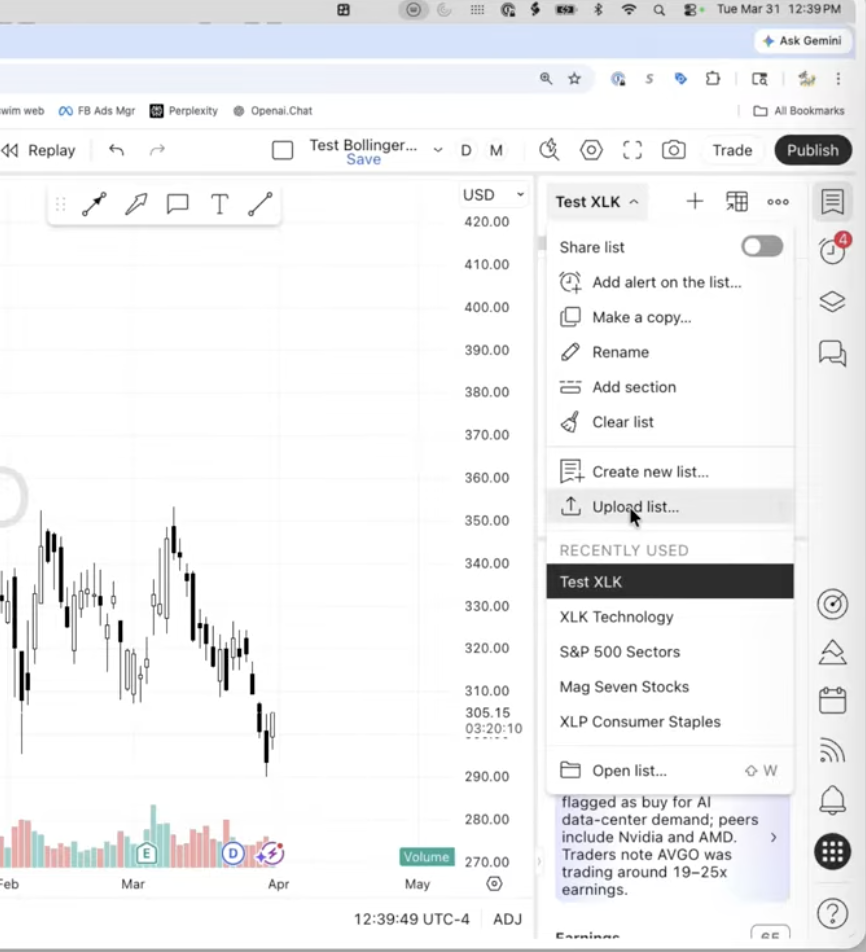
THE SECOND WAY is to go back to your watchlist and click on it, then scroll down and click "Upload List"
Now you can add a file from your computer.
Select one of the lists that I have curated for you thats already in the correct format.
Now you have them imported and all set to use on your own TradingView account.